Shelly Power Strip 4 Gen4
Shelly Power Strip 4 Gen4
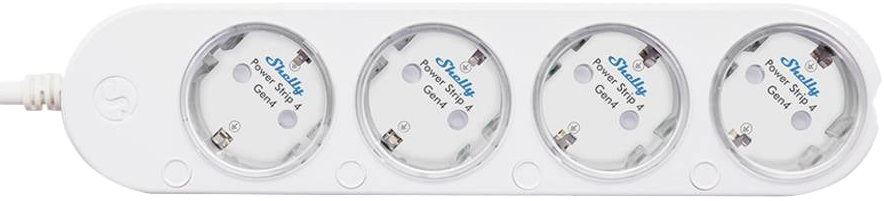
GPIO Pinout
| Pin | Function |
|---|---|
| GPIO1 | Relay 4 (Outlet 4) |
| GPIO2 | Relay 2 (Outlet 2) |
| GPIO3 | Relay 3 (Outlet 3) |
| GPIO4 | Relay 1 (Outlet 1) |
| GPIO6 | ADE7953 #0 IRQ (Outlets 1+2) |
| GPIO7 | ADE7953 #1 IRQ (Outlets 3+4) |
| GPIO10 | SPI CS1 – ADE7953 #1 |
| GPIO11 | SPI MOSI |
| GPIO12 | SPI MISO |
| GPIO13 | SPI SCLK |
| GPIO15 | SPI CS0 – ADE7953 #0 |
| GPIO16 | UART TX (Debug / Flash) |
| GPIO17 | UART RX (Debug / Flash) |
| GPIO18 | WS2812B Data (12 LEDs, via R36) |
| GPIO20 | Button 1 (SW1, low-active) |
| GPIO21 | Button 4 (SW4, low-active) |
| GPIO22 | Button 2 (SW2, low-active) |
| GPIO23 | Button 3 (SW3, low-active) |
Flashing
Note: OTA flashing from the original Shelly firmware is not possible. Shelly Gen4 verifies OTA images with an ECDSA signature using their private key. The device must be flashed via UART.
Wiring
Connect a 3.3V USB-to-serial adapter to the UART pads on the ESP-Shelly-C68F module (J1 connector). Testpoints are also available on the PCB.
J1 Connector Pinout
| Pin | Function |
|---|---|
| 1 | GND |
| 2 | IO9 |
| 3 | EN |
| 4 | VCC |
| 5 | RXD |
| 6 | TXD |
| 7 | NC |
PCB Testpoints
The testpoints are labeled on the PCB. When using an ESP-Prog, connect as follows:
| PCB Label | ESP-Prog |
|---|---|
| 3.3V | VCC |
| GND | GND |
| RESET | EN |
| IO9 | IO0 |
| U0RXD | RXD0 |
| U0TXD | TXD0 |
To enter download mode, hold IO9 low (connect to GND) while powering on the device. Release after boot.
Backup the original firmware
Always back up the original firmware before flashing:
esptool.py --chip esp32c6 --port /dev/ttyUSB0 --baud 460800 \
  --before no-reset --after no-reset \
  read_flash 0 0x800000 shelly-powerstrip4-gen4-backup.bin
Compile
esphome compile shelly-powerstrip4-gen4.yaml
The factory binary is located at:
.esphome/build/shelly-power-strip-gen4/.pioenvs/shelly-power-strip-gen4/firmware-factory.bin
Flash
esptool.py --chip esp32c6 --port /dev/ttyUSB0 --baud 460800 \
  write_flash 0x0 firmware-factory.bin
Basic Configuration
esphome:
  name: shelly-powerstrip4-gen4
  friendly_name: "Shelly Power Strip 4 Gen4"

esp32:
  variant: ESP32C6
  board: esp32-c6-devkitc-1
  flash_size: 8MB
  framework:
    type: esp-idf
    version: recommended
    sdkconfig_options:
      COMPILER_OPTIMIZATION_SIZE: y
    advanced:
      enable_ota_rollback: false

logger:
api:
ota:
wifi:
captive_portal:

spi:
  - id: spi_bus
    clk_pin: GPIO13
    mosi_pin: GPIO11
    miso_pin: GPIO12

sensor:
  - platform: ade7953_spi
    id: ade7953_0
    cs_pin: GPIO15    # Outlets 1+2
    irq_pin: GPIO6
    update_interval: 10s
    voltage:
      name: "Voltage"
    frequency:
      name: "AC Frequency"
    current_a:
      name: "Outlet 1 Current"
    current_b:
      name: "Outlet 2 Current"
    active_power_a:
      name: "Outlet 1 Power"
    active_power_b:
      name: "Outlet 2 Power"

  - platform: ade7953_spi
    id: ade7953_1
    cs_pin: GPIO10    # Outlets 3+4
    irq_pin: GPIO7
    update_interval: 10s
    voltage:
      name: "Voltage 2"
      internal: true
    frequency:
      name: "AC Frequency 2"
      internal: true
    current_a:
      name: "Outlet 3 Current"
    current_b:
      name: "Outlet 4 Current"
    active_power_a:
      name: "Outlet 3 Power"
    active_power_b:
      name: "Outlet 4 Power"

switch:
  - platform: gpio
    id: relay_0
    name: "Outlet 1"
    pin: GPIO4
    restore_mode: RESTORE_DEFAULT_OFF
    icon: mdi:power-socket-eu

  - platform: gpio
    id: relay_1
    name: "Outlet 2"
    pin: GPIO2
    restore_mode: RESTORE_DEFAULT_OFF
    icon: mdi:power-socket-eu

  - platform: gpio
    id: relay_2
    name: "Outlet 3"
    pin: GPIO3
    restore_mode: RESTORE_DEFAULT_OFF
    icon: mdi:power-socket-eu

  - platform: gpio
    id: relay_3
    name: "Outlet 4"
    pin: GPIO1
    restore_mode: RESTORE_DEFAULT_OFF
    icon: mdi:power-socket-eu

binary_sensor:
  - platform: gpio
    id: button_0
    name: "Button 1"
    pin:
      number: GPIO20
      mode: INPUT_PULLUP
      inverted: true
    on_press:
      - switch.toggle: relay_0

  - platform: gpio
    id: button_1
    name: "Button 2"
    pin:
      number: GPIO22
      mode: INPUT_PULLUP
      inverted: true
    on_press:
      - switch.toggle: relay_1

  - platform: gpio
    id: button_2
    name: "Button 3"
    pin:
      number: GPIO23
      mode: INPUT_PULLUP
      inverted: true
    on_press:
      - switch.toggle: relay_2

  - platform: gpio
    id: button_3
    name: "Button 4"
    pin:
      number: GPIO21
      mode: INPUT_PULLUP
      inverted: true
    on_press:
      - switch.toggle: relay_3

light:
  - platform: esp32_rmt_led_strip
    id: led_strip
    name: "LED Strip"
    pin: GPIO18
    num_leds: 12
    chipset: WS2812
    rgb_order: GRB
    default_transition_length: 0s
    internal: true

  - platform: partition
    id: led_outlet_0
    name: "Outlet 1 LED"
    segments:
      - id: led_strip
        from: 0
        to: 2

  - platform: partition
    id: led_outlet_1
    name: "Outlet 2 LED"
    segments:
      - id: led_strip
        from: 3
        to: 5

  - platform: partition
    id: led_outlet_2
    name: "Outlet 3 LED"
    segments:
      - id: led_strip
        from: 6
        to: 8

  - platform: partition
    id: led_outlet_3
    name: "Outlet 4 LED"
    segments:
      - id: led_strip
        from: 9
        to: 11