
Wyze Bulb Color V2
Gernal Notes
Wyze updated their original wyze bulb color which makes it slightly easier to flash esphome. The V2 features an esp32-c3 that controls a BP5758 LED driver. Product Page
Materials
- usb-uart adapter for flashing
- wire (I use gpio jumper wires)
- soldering iron and solder
- flat blade or metal spudger
Instructions
-
Remove the plastic globe. This is held in with adhesive and can be removed with a flat blade or metal spudger
-
Remove the LED array. This is also only held in with adhesive so just pry it up by one of the sides. Be careful not to damage the 6 metal pins and the antenna that go through the led array plate.
-
Remove the potting. The potting only needs to be removed on the side opposite of the 6 led pins. Be careful not to damage any components on the board while removing.
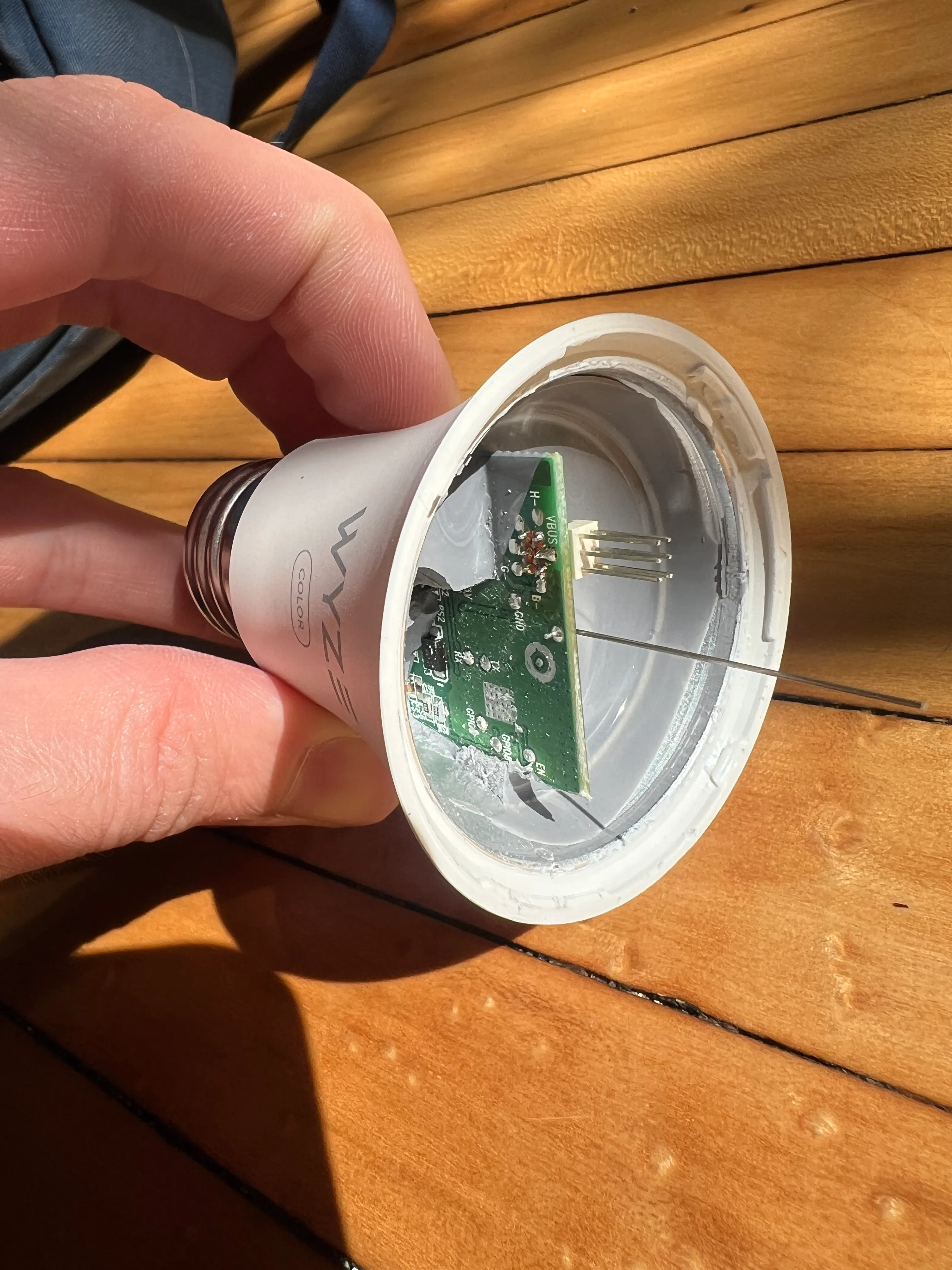
-
Solder to pads on the bulb. The tight space can make this tricky but it’s very doable. Make sure you aren’t shorting anything.
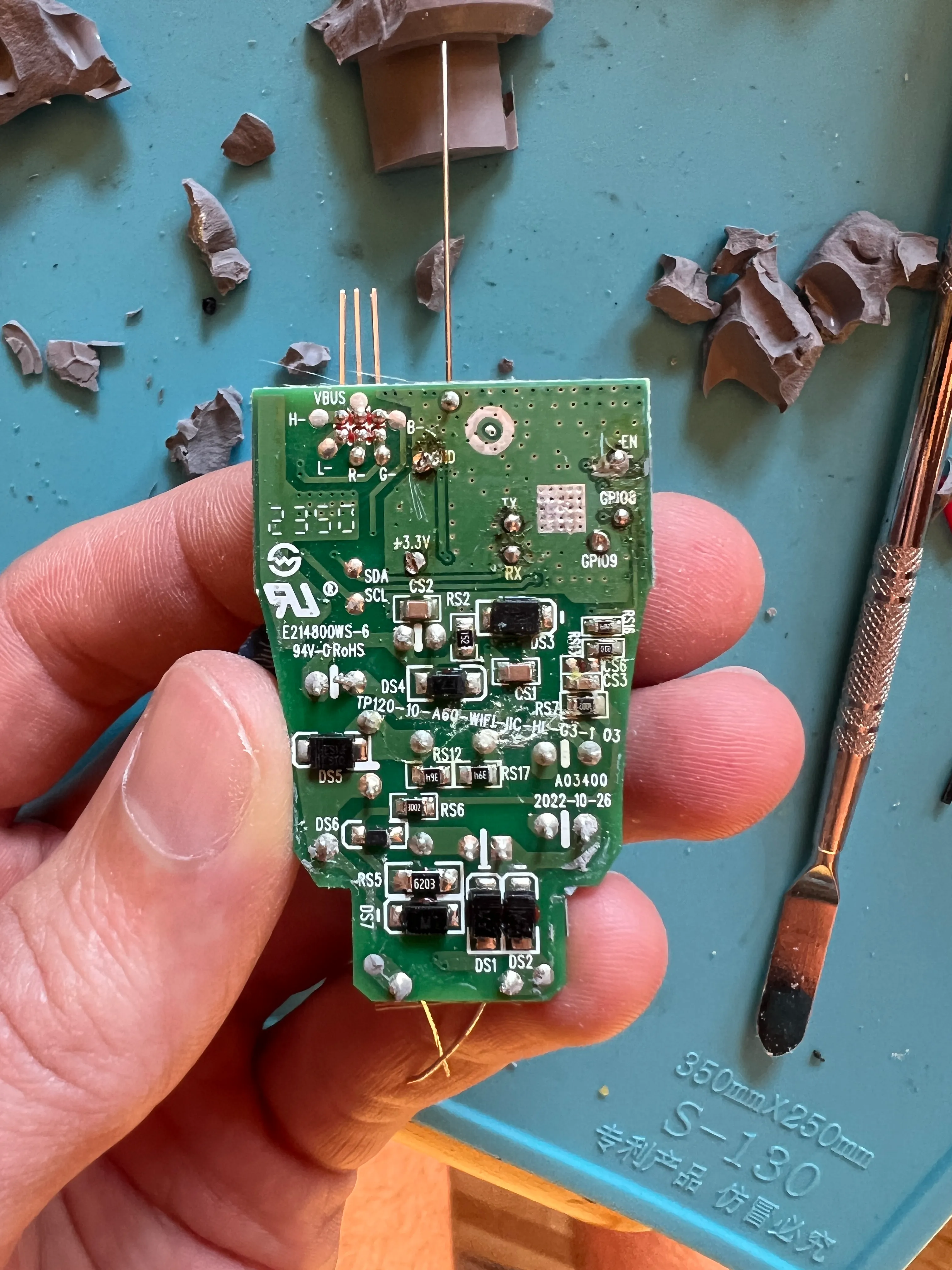
-
Connect your wires to your usb-uart adapter and flash. See connection chart below.
-
Reassemble the bulb in reverse
Flashing Connections
| Bulb | USB-UART |
|---|---|
| 3.3v | 3.3v |
| GND | GND |
| EN | 3.3v |
| GPIO8 | 3.3v |
| GPIO9 | GND |
| TX | RX |
| RX | TX |
GPIO Pinout
| Pin | Function |
|---|---|
| GPIO18 | SDC |
| GPIO19 | SDA |
Basic Configuration
substitutions:  deviceid: smart_bulb_1  esphomename: smart-bulb-1  devicename: Smart Light
esp32:  variant: esp32c3  framework:    type: esp-idf    version: recommended
esphome:  name: $esphomename
wifi:s  ssid: !secret wifi_ssid  password: !secret wifi_password  power_save_mode: NONE
  ap:    ssid: $deviceid
captive_portal:
api:
ota:  - platform: esphome
web_server:  port: 80
logger:  baud_rate: 0  # level: DEBUG
bp5758d:  data_pin: GPIO19  clock_pin: GPIO18
# Define output pinsoutput:  - platform: bp5758d    id: output_red    channel: 3    current: 35  - platform: bp5758d    id: output_green    channel: 2    current: 35  - platform: bp5758d    id: output_blue    channel: 1    current: 35  - platform: bp5758d    id: output_white    channel: 4    current: 35
# Define a light entitylight:  - platform: rgbw    name: ${devicename}    id: ${deviceid}    red: output_red    green: output_green    blue: output_blue    white: output_white