
Seeed SenseCap Indicator
Introduction
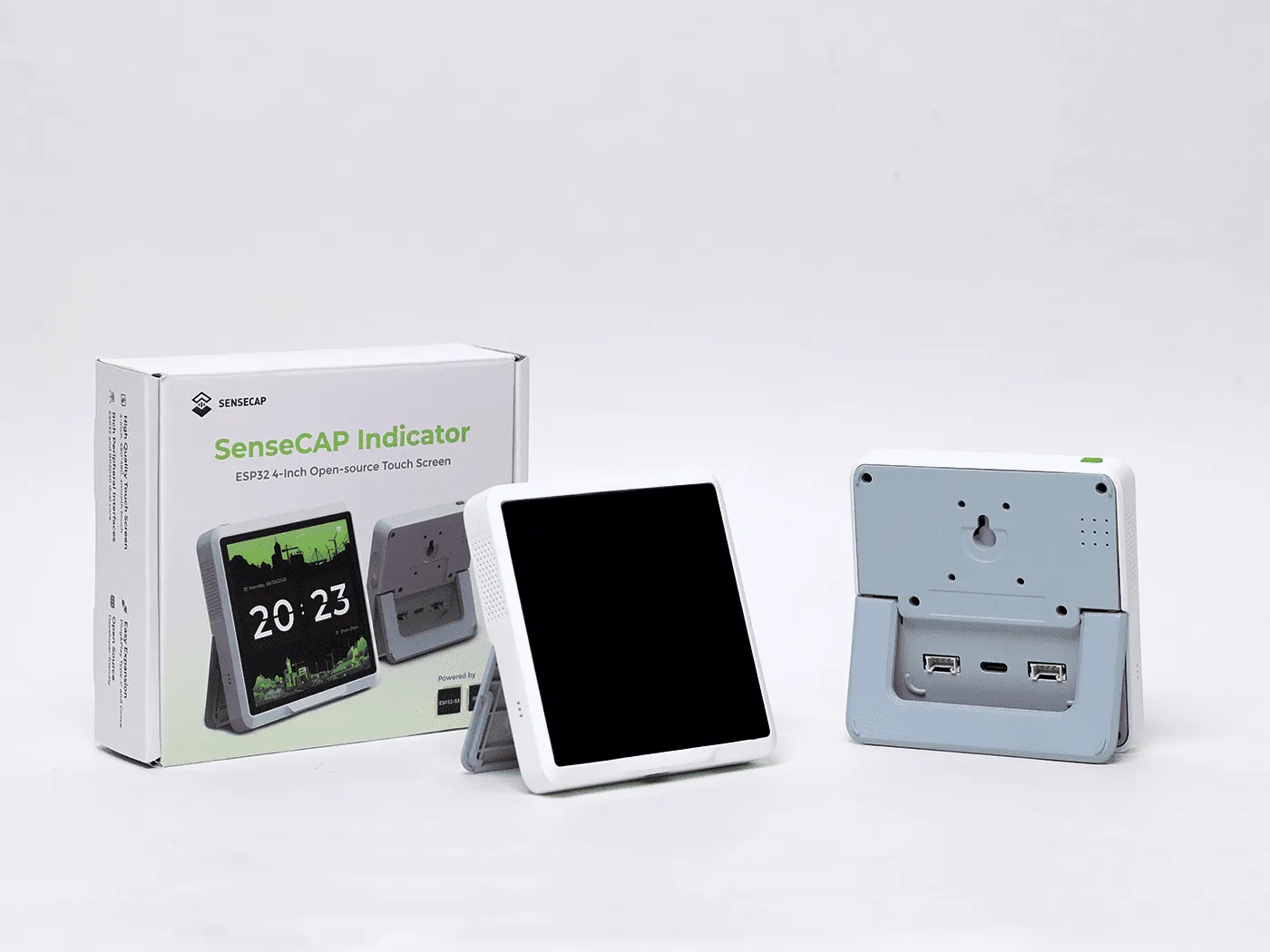
The various models of the Seeed SenseCap Indicator contain optional hardware on a core system consisting of two processors (ESP32-S3 and RP2040), with a touch screen display with backlight, an SDCard slot, two Grove connectors exposing an I2C bus and Analog-to-Digital inputs and a user button.
The ESP32-S3 is used as the primary microprocessor, controlling the display, touch-screen and communication (Wifi, BLE and LoRa if installed). The RP2040 looks after the various sensors, buzzer control and the SDCard, as well as any additional sensors attached to the Grove connectors.
Communication between the two processors is via a dedicated UART serial link. As supplied, this link uses COBS format for passing packet data.
Both processors can be programmed using ESPHome YAML code over USB, but the RP2040 also supports mounting its flash as a USB storage device, and can also be programmed that way for recovery purposes. (Poke a paperclip into the Internal Button whole before applying USB power.)
Models
- D1: Display
- D1S: Display with Sensors
- D1L: Display with LoRa Radio
- D1Pro: Display with Sensors, LoRa Radio
Hardware
- Processor: ESP32-S3, RP2040
- Display: ST7701S
- Touchscreen: FT5X06
- IO Expander: PCA9535PW
- VOC Sensor: SGP40 (Model D1S, D1Pro)
- CO2 Sensor: SCD41 (Model D1S, D1Pro)
- LoRa Radio: SX1262 (Model D1L, D1Pro)
ESP32-S3 - Pin Allocation
SPI Bus
| Pin | Function |
|---|---|
| GPIO41 | SPI CLK |
| GPIO48 | SPI MOSI |
| GPIO47 | SPI MISO |
Note: The MISO pin is not required for output (Display), and is only used for input from the LoRa radio (SX1262). The LoRa chip will not be able to be configured without it (the HW Version of the LoRa radio will not be able to be read).
Example
spi: - id: lcd_spi clk_pin: GPIO41 mosi_pin: GPIO48 miso_pin: GPIO47I2C Bus
| Pin | Function |
|---|---|
| GPIO39 | I2C SDA |
| GPIO40 | I2C SCL |
Example
i2c: - id: bus_a sda: GPIO39 scl: GPIO40 scan: falseIO Expander, 16 bits (I2C)
I2C Address: 0x20
| Pin | Function |
|---|---|
| GPIO39 | I2C SDA |
| GPIO40 | I2C SCL |
| GPIO42 | IO_INT (unused) |
Note: The IO_INT pin is connected to the ESP32-S3 but is not directly used.
Example
pca9554: - id: pca9554a_device address: 0x20 pin_count: 16LCD Display, RGB8565 (I2C + SPI + PCA9535)
The ‘mipi_rgb’ platform for the display is the newest method to configure the RGB display. It is pre-configured with the hardware details of the Seeed Indicator which simplifies the required configuration to the example below.
Example
display: - platform: mipi_rgb model: SEEED-INDICATOR-D1 id: sensecap_displayIf you want to configure any of the other display parameters, you may need to use the older ‘st7701s’ platform. Use only one of these platforms.
Hardware Details
| Pin | Function |
|---|---|
| GPIO41 | SPI CLOCK |
| GPIO48 | SPI MOSI |
| Expander/4 | SPI CS |
| Expander/5 | SPI RESET |
| GPIO16 | H-Sync |
| GPIO17 | V-Sync |
| GPIO18 | DE |
| GPIO21 | PCLK |
| GPIO4, GPIO3, GPIO2, GPIO1, GPIO0 | Red |
| GPIO10, GPIO9, GPIO8, GPIO7, GPIO6, GPIO5 | Green |
| GPIO15, GPIO14, GPIO13, GPIO12, GPIO11 | Blue |
Example, using older platform (st7701s):
display: - platform: st7701s id: sensecap_display auto_clear_enabled: false data_rate: 4MHz update_interval: never spi_mode: MODE3 color_order: RGB dimensions: width: 480 height: 480 invert_colors: true transform: mirror_x: true mirror_y: true cs_pin: pca9554: pca9554a_device number: 4 reset_pin: pca9554: pca9554a_device number: 5 de_pin: GPIO18 hsync_pin: GPIO16 vsync_pin: GPIO17 pclk_pin: GPIO21 init_sequence: - 1 # select canned init sequence number 1 - delay 5ms - [ 0xE0, 0x1F ] # Set sunlight readable enhancement data_pins: red: - GPIO4 #r1 - GPIO3 #r2 - GPIO2 #r3 - GPIO1 #r4 - GPIO0 #r5 green: - GPIO10 #g0 - GPIO9 #g1 - GPIO8 #g2 - GPIO7 #g3 - GPIO6 #g4 - GPIO5 #g5 blue: - GPIO15 #b1 - GPIO14 #b2 - GPIO13 #b3 - GPIO12 #b4 - GPIO11 #b5Touch Panel (I2C)
I2C Address: Implied
| Pin | Function |
|---|---|
| GPIO39 | I2C SDA |
| GPIO40 | I2C SCL |
| Expander/6 | TP_INT (unused) |
| Expander/7 | TP_REST (unused) |
Example
touchscreen: platform: ft5x06 id: sensecap_touchscreen transform: mirror_x: true mirror_y: true on_release: then: ...Backlight
| Pin | Function |
|---|---|
| GPIO45 | Backlight PWM |
Example
output: - platform: ledc pin: number: GPIO45 ignore_strapping_warning: true id: ledc_gpio45 frequency: 100HzButton
| Pin | Function |
|---|---|
| GPIO38 | Button - Normally High |
Example
binary_sensor: - platform: gpio pin: number: GPIO38 inverted: true name: "User Button"UART to RP2040
| Pin | Function |
|---|---|
| GPIO20 | RX RP_16 |
| GPIO19 | TX RP_17 |
External Flash, W25Q64JVSSIQ (SPI)
- Mode: Octal
- Speed: 80MHz
- Size: 8MB
This is set in the main example below.
LoRa Radio, SX1262IMLTRT (SPI + I2C) - Models D1L, D1Pro
| Pin | Function |
|---|---|
| GPIO41 | SPI LoRa CLock |
| GPIO47 | SPI LoRa MISO |
| GPIO48 | SPI LoRa MOSI |
| Expander/0 | SPI LoRa CS |
| Expander/1 | SPI LoRa RESET |
| Expander/2 | LoRa BUSY |
| Expander/3 | LoRa DIO1 |
Example, requires I2C,SPI and PCA9554 (IO Expander).
sx126x: id: sx126x_id cs_pin: pca9554: pca9554a_device number: 0 rst_pin: pca9554: pca9554a_device number: 1 busy_pin: pca9554: pca9554a_device number: 2 dio1_pin: pca9554: pca9554a_device number: 3 pa_power: 3 bandwidth: 125_0kHz crc_enable: true frequency: 915000000 modulation: LORA rx_start: true rf_switch: true hw_version: sx1262 sync_value: [0x14, 0x24] preamble_size: 8 spreading_factor: 7 coding_rate: CR_4_5 tcxo_voltage: NONE # v1, V2_4 for v2 boards. tcxo_delay: 5ms on_packet: then: - lambda: |- ESP_LOGD("lora", "rx packet:%s rssi:%.2f snr:%.2f", format_hex(x).c_str(), rssi, snr);RP2040 - Pin Allocation
UART from ESP32-S3
| Pin | Function |
|---|---|
| GPIO16 | TX ESP_20 |
| GPIO17 | RX ESP_19 |
Grove 1 (I2C)
| Pin | Function |
|---|---|
| GPIO18 | Power Switch, Active High |
| GPIO20 | SDA |
| GPIO21 | SCL |
Grove 2 (ADC)
| Pin | Function |
|---|---|
| GPIO26 | ADC0 |
| GPIO27 | ADC1 |
SD Card (SPI1)
| Pin | Function |
|---|---|
| GPIO7 | SD_DET |
| GPIO10 | SD_SCK |
| GPIO11 | SD_MOSI |
| GPIO12 | SD_MISO |
| GPIO13 | SD_CS |
Flash Memory, W25Q16JVUXIQ - (QSPI)
| Pin | Function |
|---|---|
| Boot Button | Set Flash as USB Mountable |
Buzzer
| Pin | Function |
|---|---|
| GPIO19 | Buzzer PWM |
VOC Sensor, SGP40 (I2C) - Models D1S, D1Pro
(I2C Address: 0x59)
See: sgp4x component
CO2 Sensor, SCD41 (I2C) - Models D1S, D1Pro
(I2C Address: 0x62)
See: scd4x component
Example Configuration
Configuration for Model D1, for ESP32-S3
esphome:  name: seeed-sensecap  friendly_name: Seeed SenseCAP
esp32:  variant: esp32s3  flash_size: 8MB  framework:    type: esp-idf    sdkconfig_options:      CONFIG_ESPTOOLPY_FLASHSIZE_8MB: y      CONFIG_ESP32S3_DEFAULT_CPU_FREQ_240: y      CONFIG_ESP32S3_DATA_CACHE_64KB: y      CONFIG_SPIRAM_FETCH_INSTRUCTIONS: y      CONFIG_SPIRAM_RODATA: y
psram:  mode: octal  speed: 80MHz
logger:  hardware_uart: UART0  level: DEBUG
output:  - platform: ledc    pin:      number: GPIO45      ignore_strapping_warning: true    id: ledc_gpio45    frequency: 100Hz
binary_sensor:  - platform: gpio    pin:      number: GPIO38      inverted: true    name: "User Button"
i2c:  - id: bus_a    sda: GPIO39    scl: GPIO40    scan: false
spi:  - id: lcd_spi    clk_pin: GPIO41    mosi_pin: GPIO48    miso_pin: GPIO47
pca9554:  - id: pca9554a_device    address: 0x20    pin_count: 16
display:  - platform: mipi_rgb    model: SEEED-INDICATOR-D1    id: sensecap_display
light:  - platform: monochromatic    name: "Backlight"    id: backlight    output: ledc_gpio45    restore_mode: ALWAYS_ON
touchscreen:  platform: ft5x06  id: sensecap_touchscreen  transform:    mirror_x: true    mirror_y: true  on_release:    - if:        condition: lvgl.is_paused        then:          - lvgl.resume:          - lvgl.widget.redraw:          - light.turn_on: backlight
image:  - file: https://esphome.io/favicon-512x512.png    id: boot_logo    resize: 200x200    type: RGB565    transparency: alpha_channel
lvgl:  on_idle:    timeout: !lambda "return 10000;"    then:      - light.turn_off: backlight      - lvgl.pause:
  top_layer:    widgets:      - obj:          id: boot_screen          x: 0          y: 0          width: 100%          height: 100%          bg_color: 0xffffff          bg_opa: COVER          radius: 0          pad_all: 0          border_width: 0          widgets:            - image:                align: CENTER                src: boot_logo                y: -40            - spinner:                align: CENTER                y: 95                height: 50                width: 50                spin_time: 1s                arc_length: 60deg                arc_width: 8                indicator:                  arc_color: 0x18bcf2                  arc_width: 8
Using CO2 and TVOC Sensors (D1S, D1Pro only)
The air quality sensors in the D1S and D1Pro are unfortunately connected to the RP2040. These can be accessed, however, by flashing ESPHome to the RP2040 as well and using the Packet Transport feature.
This config exposes the data from the CO2 and TVOC sensors:
esphome:  name: d1-rp2040  friendly_name: d1-rp2040
rp2040:  board: rpipico
# Enable logginglogger:
uart:  - id: esp32s3_serial    tx_pin: GPIO17    rx_pin: GPIO16    baud_rate: 115200
i2c:  - sda: GPIO20    scl: GPIO21
sensor:  - platform: sgp4x    voc:      id: voc      name: "VOC Index"  - platform: scd4x    co2:      id: co2      name: "CO2"    temperature:      id: temp      name: "Temperature"    humidity:      id: humid      name: "Humidity"
power_supply:  - id: 'sensor_supply1'    pin: GPIO18    enable_on_boot: True
packet_transport:  - platform: uart    uart_id: esp32s3_serial    sensors:      - id: voc      - id: co2      - id: temp      - id: humid
To flash the RP2040, press the pinhole button on the bottom of the Indicator whilst plugging in a USB cable to reveal the RPI-BOOT drive.
The configuration running on the ESP32-S3 should then also be updated to retrieve data from the RP2040:
NOTE: This configuration includes the temperature and humidity values from the SCD41 sensor for completeness; however, the accuracy of these values is compromised as it is placed directly next to the heat-generating SGP40 inside the Indicator and probably should not be used. This could be fixed by only switching on the sensors intermittently (since IO18 on the RP2040 controls power to the sensors), but this hasn’t been tried.
uart:  - id: rp2040_serial    tx_pin: GPIO20    rx_pin: GPIO19    baud_rate: 115200
packet_transport:  - platform: uart    uart_id: rp2040_serial    providers:      - name: d1-rp2040sensor:  - platform: packet_transport    provider: d1-rp2040    id: voc    name: VOC Index    internal: False    accuracy_decimals: 0    icon: "mdi:weather-dust"    device_class: aqi  - platform: packet_transport    provider: d1-rp2040    id: co2    name: CO2    internal: False    accuracy_decimals: 0    icon: "mdi:molecule-co2"    unit_of_measurement: "ppm"    device_class: volatile_organic_compounds_parts  - platform: packet_transport    provider: d1-rp2040    id: temp    name: Temperature    internal: False    accuracy_decimals: 1    icon: "mdi:thermometer"    unit_of_measurement: "°C"    device_class: temperature  - platform: packet_transport    provider: d1-rp2040    id: humid    name: Humidity    internal: False    accuracy_decimals: 1    icon: "mdi:water-percent"    unit_of_measurement: "%"    device_class: humidity
Configuration for model D1L, for ESP32-S3
Add the following to the configuration above to enable the LoRa SX1262 chip. Received data packets will be shown in the log.
Note: Other boards with LoRa SX126X radio (eg. Wio-SX1262 LoRa Module) require setting “tcxo_voltage: 2_4V” as they have a Temperature Controlled Crystal Oscillator (TCXO). The LoRa Radio on the Seeed Indicator will not operate if this is set, other than NONE.
SeeedStudio have two versions of LoRa boards - v1 (eg. Seeed Indicator D1) do not need this setting, and v2 (eg. Wio-SX1262 LoRa Module) which do.
sx126x: id: sx126x_id cs_pin: pca9554: pca9554a_device number: 0 rst_pin: pca9554: pca9554a_device number: 1 busy_pin: pca9554: pca9554a_device number: 2 dio1_pin: pca9554: pca9554a_device number: 3 pa_power: 3 bandwidth: 125_0kHz crc_enable: true frequency: 915000000 modulation: LORA rx_start: true rf_switch: true hw_version: sx1262 sync_value: [0x14, 0x24] preamble_size: 8 spreading_factor: 7 coding_rate: CR_4_5 tcxo_voltage: NONE # v1, V2_4 for v2 boards. tcxo_delay: 5ms on_packet: then: - lambda: |- ESP_LOGD("lora", "rx packet:%s rssi:%.2f snr:%.2f", format_hex(x).c_str(), rssi, snr);