Tuya Smart Plug 20A with BL0942 Power Monitoring IC
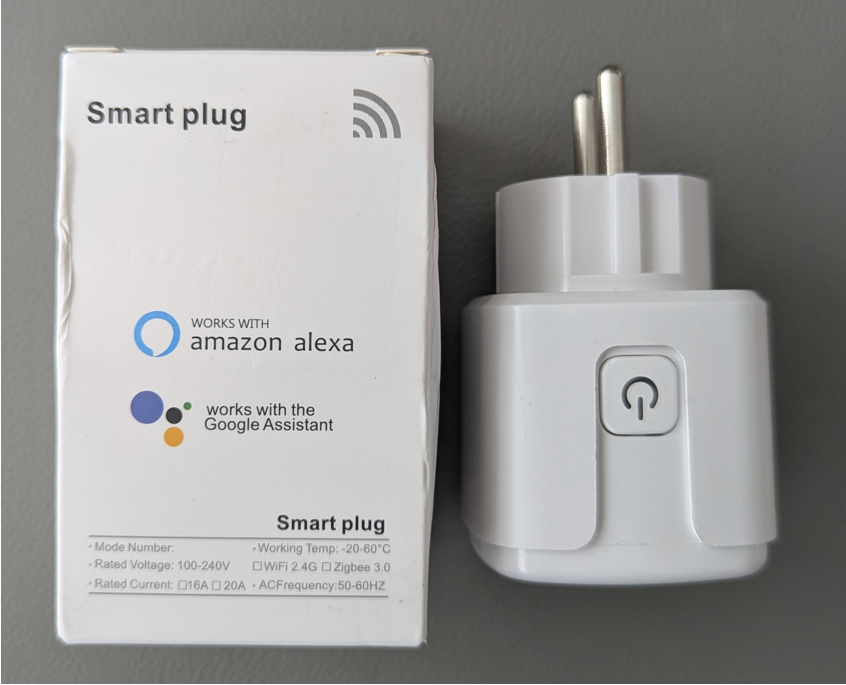
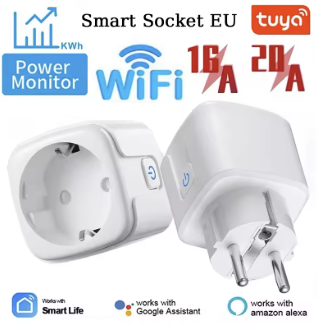
The smart plug is using the Tuya T34 module design incorporating a BK7231N chip T34 Datasheet
The power monitoring chip is the BL0942, which is not so often seen in Tuya products. It is connected using the UART feature to UART1.
The BL0942 is a sophisticated, calibration-free integrated circuit (IC) for energy measurement from Shanghai Belling Corp. It is used in single-phase electricity meters, smart plugs and smart home devices to enable accurate measurements of voltage, current and power via a UART/SPI interface, offering a cost-effective solution for energy monitoring.
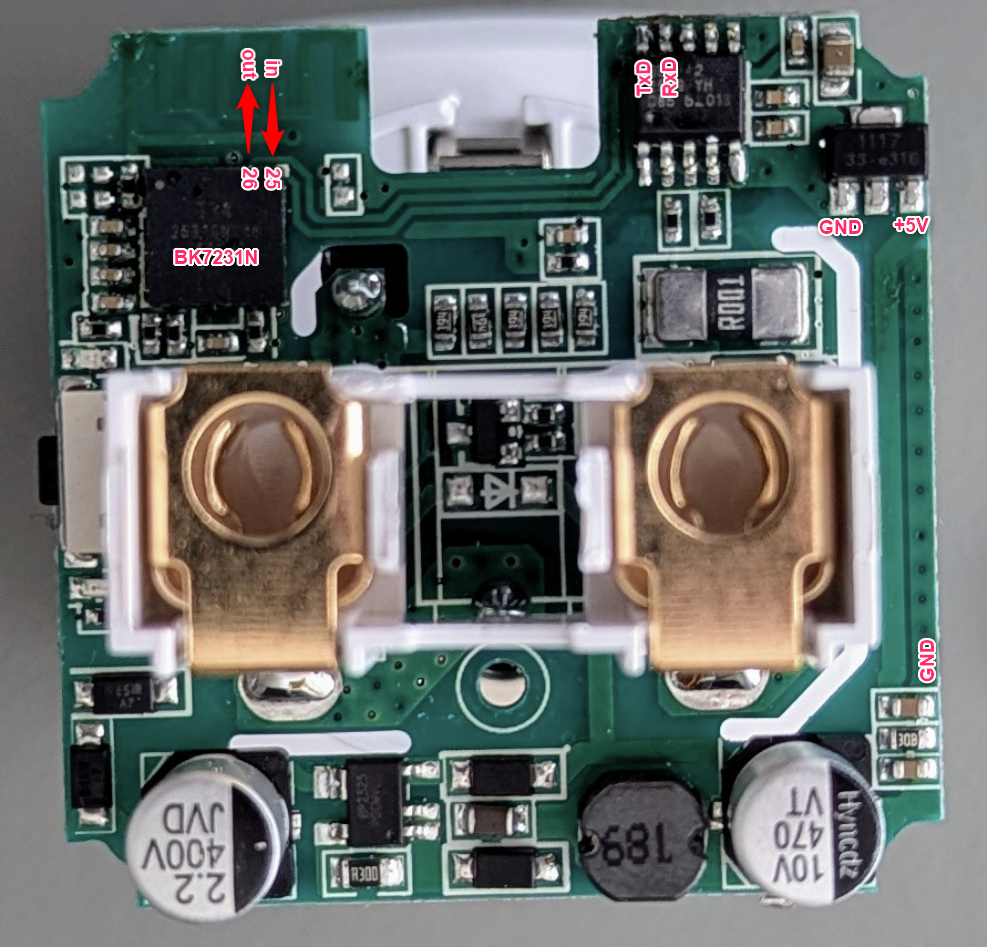
GPIO Pinout
| Pin | Function |
|---|---|
| P25 | BL0942(10) TX |
| P26 | BL0942(9) RX |
| P14 | Relay & red LED |
| P26 | Button (Inverted) |
| P24 | Blue LED |
Programming
Based on available documentation (links above) the T34 chip can be programmed using ESPHome tools
- pin 25 as UART_RXD
- pin 26 as UART_TXD
It is easier to use the corresponding BL0942 pins to connect the programmers RX & TX pins. Programmer TX must be connected to pin 10 and RX must beconnected to pin 9. Connect a 5V DC source to the voltage regulator. Start programming and then cycle power of the 5V source to enter the bootloader.
It is important to limit the download speed to 19200 baud (--upload_speed 19200) otherwise the programming terminates.
ESPHome Hardware definitions
esphome:
  comment: "Tuya Smart Socket EU 20A with Power Monitor"
  name: tuya-smartplug

bk72xx:
  board: generic-bk7231n-qfn32-tuya # actually a T34 Tuya module

# Relay output
output:
  - platform: gpio
    pin: P14
    id: relay_1
  - platform: gpio
    pin:
      number: P24
      inverted: false
    id: led_output

light:
  - platform: binary
    name: "Status LED"  # blue LED
    id: status_light
    output: led_output

# Local button on PCB
binary_sensor:
  - platform: gpio
    id: button_1        # illuminated button
    pin:
      number: P26
      mode: INPUT_PULLUP
      inverted: true

uart:
  id: bl0942_uart  # UART1 is used to read the data from the BL0942
  tx_pin: TX1
  rx_pin: RX1
  baud_rate: 4800

# Belling BL0942 Energy Monitor
sensor:
  - platform: bl0942
    uart_id: bl0942_uart
    line_frequency: 50Hz
    voltage:
      name: 'Voltage'
    current:
      name: 'Current'
    power:
      name: 'Power'
    energy:
      name: 'Energy'
    frequency:
      name: "Frequency"
ESPHome working example config
# Programming speed must be reduced otherwise the
# switch will will exit the flashing routine
# Use:
# esphome run tuya_plug.yaml --upload_speed 19200

esphome:
  comment: "Tuya Smart Socket EU 20A with Power Monitor"
  name: tuya-smartplug
  name_add_mac_suffix: true

bk72xx:
  board: generic-bk7231n-qfn32-tuya # actually a T34 Tuya module

logger:
    level: NONE

wifi:
  # In case a secrets.yaml file is available in the root folder
  # with the following content:
  # secrets.yaml
  # wifi_ssid: "SSID"
  # wifi_password: "PASSWORD"

  #ssid: !secret wifi_ssid
  #password: !secret wifi_password

  ap:
    ssid: "TuyaPlug"

captive_portal:

api:

ota:
  platform: esphome

web_server:
  version: 3
  port: 80

# Relay output
output:
  - platform: gpio
    pin: P14
    id: relay_1
  - platform: gpio
    pin:
      number: P24
      inverted: false
    id: led_output

light:
  - platform: binary
    name: "Status LED"  # blue LED
    id: status_light
    output: led_output

# Local button on PCB
binary_sensor:
  - platform: gpio
    id: button_1        # illuminated button
    pin:
      number: P26
      mode: INPUT_PULLUP
      inverted: true
    filters:
      - delayed_on: 50ms
    on_press:
      - switch.toggle: relay_switch  # manual control for relay

# Switch to control the relay from the UI
switch:
  - platform: output
    name: "Relay"
    id: relay_switch
    output: relay_1

uart:
  id: bl0942_uart  # UART1 is used to read the data from the BL0942
  tx_pin: TX1
  rx_pin: RX1
  baud_rate: 4800

# Belling BL0942 Energy Monitor
sensor:
  - platform: bl0942
    uart_id: bl0942_uart
    line_frequency: 50Hz
    voltage:
      name: 'Voltage'
    current:
      name: 'Current'
    power:
      name: 'Power'
    energy:
      name: 'Energy'
    frequency:
      name: "Frequency"

  - platform: wifi_signal
    name: "TuyaPlug WiFi Signal"
    id: wifi_signal_sensor
    update_interval: 60s