
Shelly Pro RGBWW PM
Device Type:
Electrical Standard:
Board:
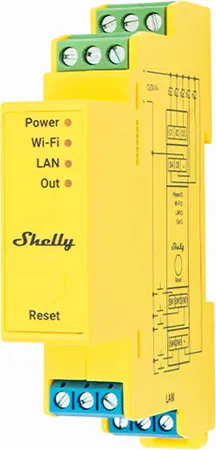
Internal Images
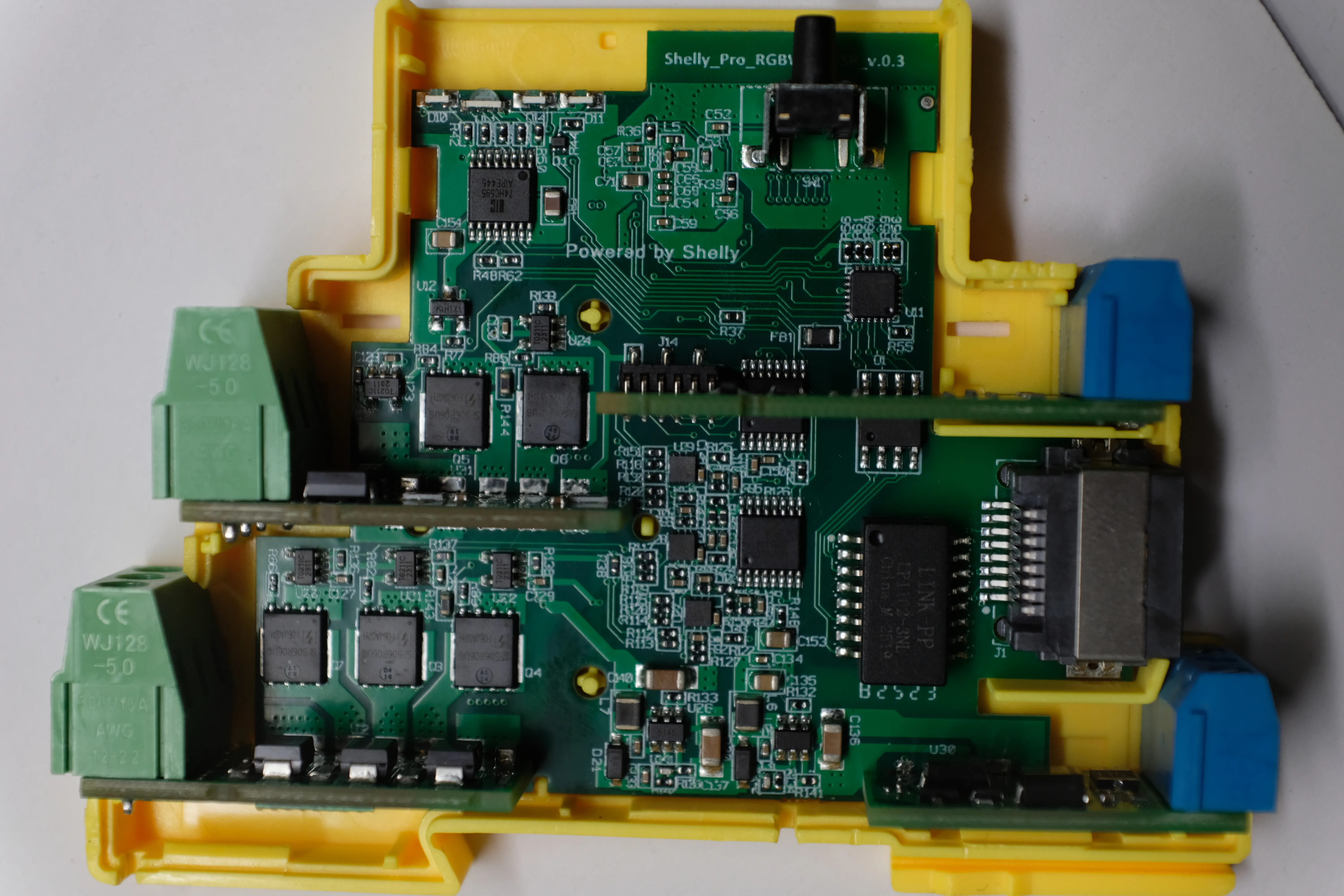
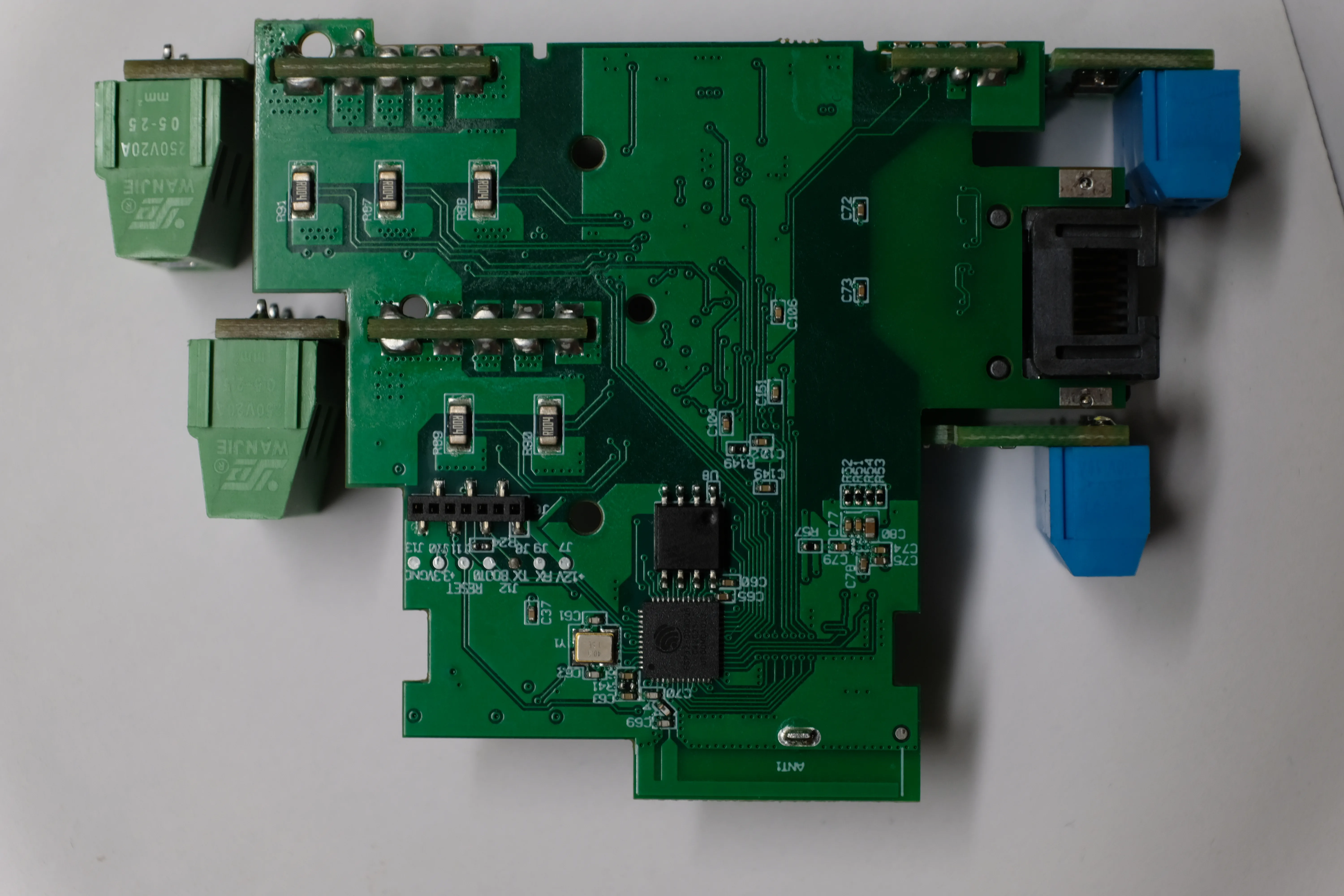
GPIO Pinout
The SW inputs are connected via AiP4052 multiplexers (compatible with other 4052 chips). The multiplexer select lines S0 and S1 are connected to GPIO0 and GPIO2 respectively. There are two multiplexers present on the board, it’s possible the other one might be used for the ADC to scan current sensors.
| Pin | Condition | Function |
|---|---|---|
| GPIO0 | - | Mux Select S0 |
| GPIO2 | - | Mux Select S1 |
| GPIO12 | - | PWM2 |
| GPIO13 | - | PWM1 |
| GPIO14 | - | PWM3 |
| GPIO16 | - | PWM4 |
| GPIO17 | - | PWM5 |
| ? | ? | NTC Temp Sensor |
| ? | ? | Voltage Monitor |
| ? | ? | Wi-Fi LED |
| GPIO35 | - | Reset Button |
| GPIO36 | GPIO0=1, GPIO2=0 | SW4 |
| GPIO36 | GPIO0=0, GPIO2=1 | SW1 |
| GPIO37 | GPIO0=0, GPIO2=1 | SW2 |
| GPIO38 | GPIO0=0, GPIO2=1 | SW3 |
| GPIO39 | GPIO0=0, GPIO2=1 | SW5 |
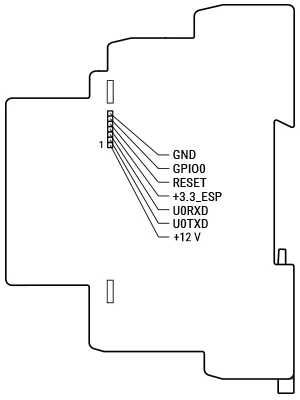
Pro addon interface
Use it for flashing. Connect GPIO0 to GND during reset. Do not connect +12V pin (neither +12V power to other connectors).
Ethernet Interface
The Shelly Pro RGBWW PM has an 8720 ethernet module.
Configuration monochromatic channel
partitions_8mb_ota.csv:
# Name, Type, SubType, Offset, Size, Flagsnvs, data, nvs, 0x9000, 0x5000,otadata, data, ota, 0xe000, 0x2000,app0, app, ota_0, 0x10000, 0x330000,app1, app, ota_1, 0x340000,0x330000,spiffs, data, spiffs, 0x670000,0x190000,esphome: name: shelly-pro-rgbww-pm platformio_options: board_build.flash_mode: dio
esp32: board: esp32dev variant: esp32 flash_size: 8MB framework: type: esp-idf partitions: partitions_8mb_ota.csv
wifi: ssid: !secret wifi_ssid password: !secret wifi_password
captive_portal:logger:api:ota: platform: esphome
web_server: port: 80
light: - platform: monochromatic name: "Channel 1" output: pwm_1
- platform: monochromatic name: "Channel 2" output: pwm_2
- platform: monochromatic name: "Channel 3" output: pwm_3
- platform: monochromatic name: "Channel 4" output: pwm_4
- platform: monochromatic name: "Channel 5" output: pwm_5
# Alternatively, use RGBWW light platform# - platform: rgbww# name: ${device_name} Led Stip# red: pwm_1# green: pwm_2# blue: pwm_3# cold_white: pwm_4# warm_white: pwm_5
output: - platform: ledc pin: GPIO13 id: pwm_1
- platform: ledc pin: GPIO12 id: pwm_2
- platform: ledc pin: GPIO14 id: pwm_3
- platform: ledc pin: GPIO16 id: pwm_4
- platform: ledc pin: GPIO17 id: pwm_5
- platform: gpio id: mux_a pin: 0
- platform: gpio id: mux_b pin: 2
binary_sensor: - platform: gpio pin: number: GPIO35 inverted: True name: ${device_name} Reset Button filters: - delayed_on_off: 10ms
- platform: gpio id: in36 pin: { number: 36, mode: INPUT } - platform: gpio id: in37 pin: { number: 37, mode: INPUT } - platform: gpio id: in38 pin: { number: 38, mode: INPUT } - platform: gpio id: in39 pin: { number: 39, mode: INPUT }
- platform: template name: "SW1" id: sw1
- platform: template name: "SW2" id: sw2
- platform: template name: "SW3" id: sw3
- platform: template name: "SW4" id: sw4
- platform: template name: "SW5" id: sw5
interval: - interval: 50ms then: - lambda: |- id(mux_a).turn_on(); id(mux_b).turn_off(); delay(1); id(sw4).publish_state(gpio_get_level(GPIO_NUM_36) == 0);
id(mux_a).turn_off(); id(mux_b).turn_on(); delay(1); id(sw1).publish_state(gpio_get_level(GPIO_NUM_36) == 0); id(sw2).publish_state(gpio_get_level(GPIO_NUM_37) == 0); id(sw3).publish_state(gpio_get_level(GPIO_NUM_38) == 0); id(sw5).publish_state(gpio_get_level(GPIO_NUM_39) == 0);