
LSC Smart Connect 10 meter XXL-LED-Strip 320208
General Notes
This configuration is for the second version of the LSC Smart Connect XXL-LED-Strip 3202086 which comes as a colour changing LED strip with controller and transformer.
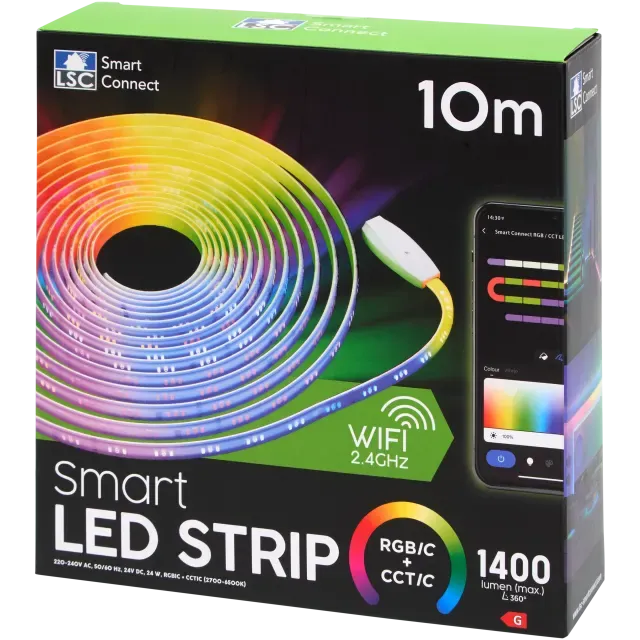
This is for the new version of the LED strip
The original version is here (insert original)
The main diffrences between the two versions are diffrent board layout and diffrent pins for the LEDs
To check what version you have open up the controller and look at the back of the board
| Old | New |
|---|---|
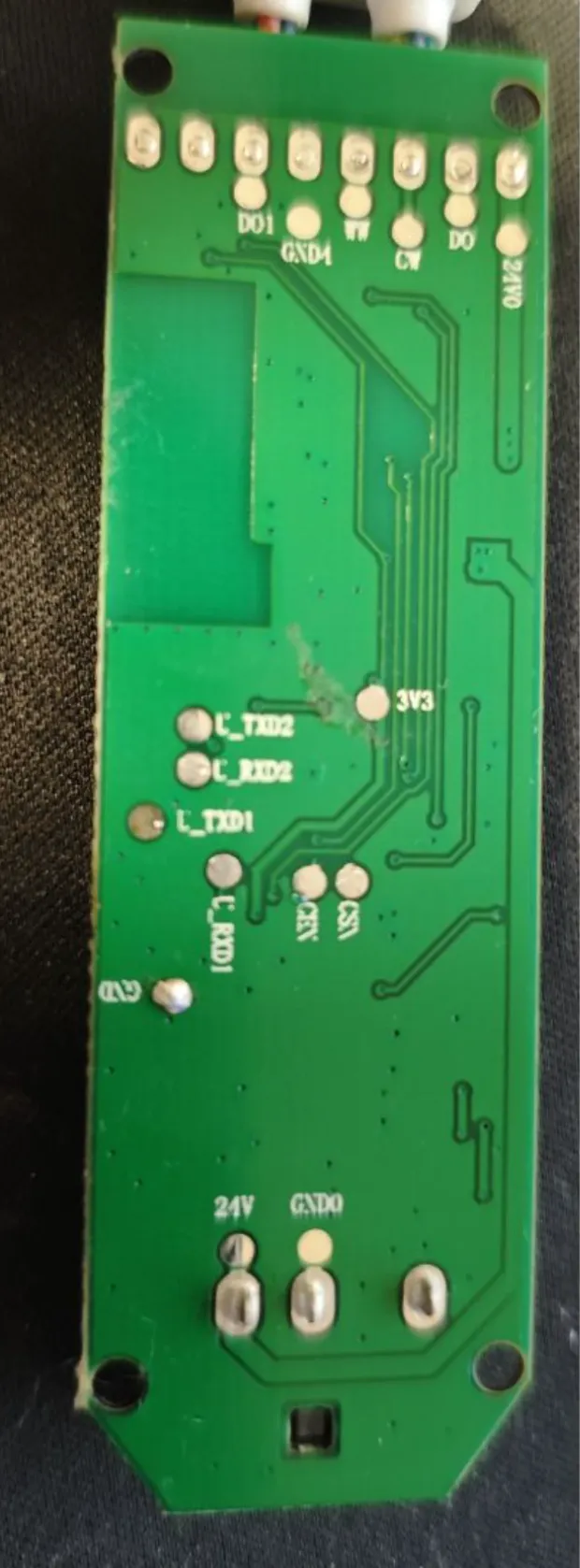 | 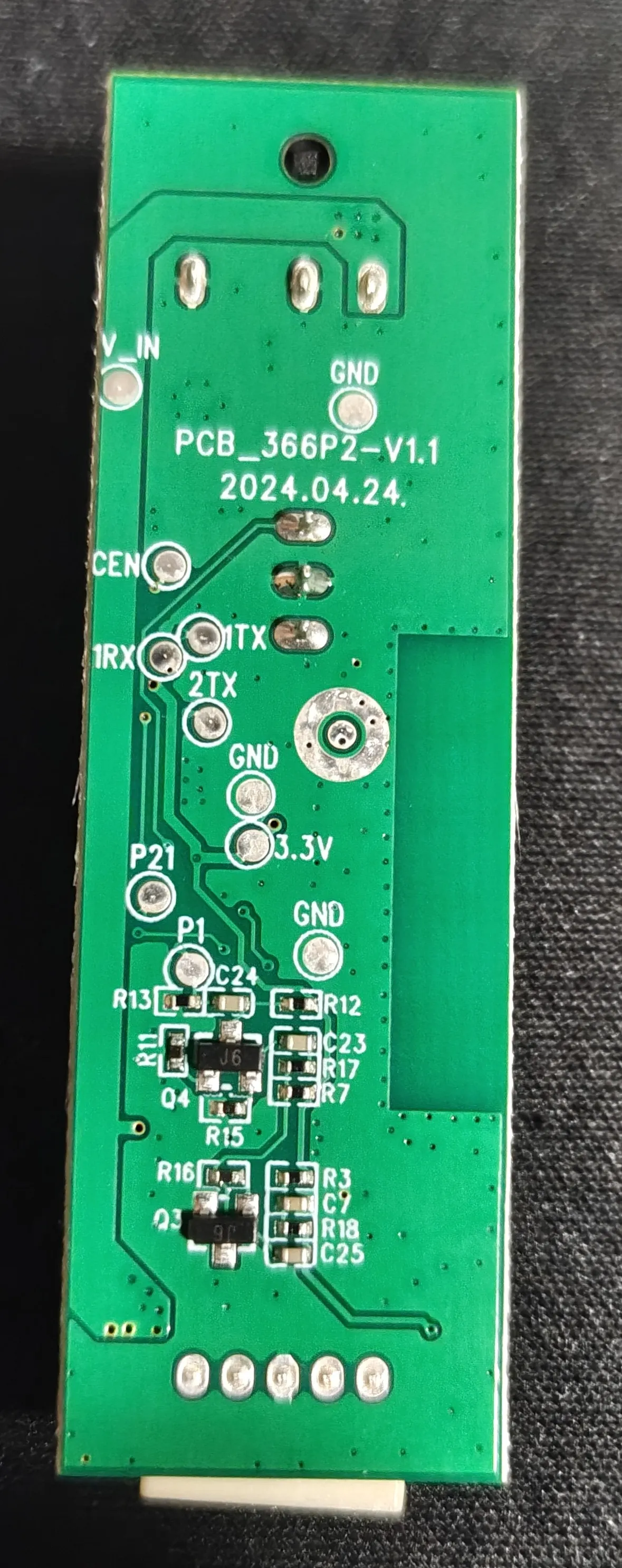 |
How to flash
To flash the controller, open up the controller and take the board out. On the back of the board there are 4 pins you need to solder | GND | 3.3V | 1TX | 1RX |
Warning: It is important to connect the board to a stable 3.3V supply, unstable supplies may cause the flash to fail
Connect the 1TX pin to the RX pin on your flasher and connect the 1RX pin to the TX pin on your flasher. Use the ltchiptool to take a backup and flash the board with a new firmware The tool should automatically detect what port the flasher is on
To take a backup
If you are not using the GUI tool take a backup using
ltchiptool flash <command> <boardfamily> <backupname>To flash the chip
Create an empty configuration with the yaml below Download the compiled firmware file If you are not using the GUI tool flash the chip using
ltchiptool flash <command> <firmwarefile>GPIO Pinout
| Pin | Function |
|---|---|
| P24 | Cold White |
| P6 | Warm White |
| P16 | WS2812 |
| P22 | Power for the white LEDs |
| P20 | Button |
| P26 | IR-Receiver |
| P23 | Microphone (unused) |
esphome:  name: lsc-10m-leds  friendly_name: LSC XXL 10m LED Strip
bk72xx:  board: generic-bk7231n-qfn32-tuya
# Enable Home Assistant APIapi:  encryption:    key: ""
ota:  - platform: esphome    password: ""
wifi:  ssid: !secret wifi_ssid  password: !secret wifi_password
  # Enable fallback hotspot (captive portal) in case wifi connection failsap:  ssid: "Lsc-10M-Led Fallback Hotspot"  password: ""
captive_portal:
# Enable logginglogger:  baud_rate: 0


light:  - platform: cwww    id: white_light    name: "White Light"    cold_white: output_cw    warm_white: output_ww    cold_white_color_temperature: 6500 K    warm_white_color_temperature: 2700 K    on_turn_on:      - light.turn_off: color_light    effects:      - pulse:      - flicker:      - random:

  - platform: beken_spi_led_strip    id: color_light    name: "Color Light"    pin: P16    chipset: WS2812    num_leds: 40    rgb_order: RBG    power_supply: led_power    effects:      - random:      - pulse:      - strobe:      - flicker:      - addressable_rainbow:      - addressable_color_wipe:      - addressable_scan:      - addressable_twinkle:      - addressable_random_twinkle:      - addressable_fireworks:      - addressable_flicker:    on_turn_on:      - light.turn_off: white_light
output:  - platform: libretiny_pwm    id: output_cw    pin: P24    power_supply: led_power  - platform: libretiny_pwm    id: output_ww    pin: P6    power_supply: led_power
power_supply:  - id: led_power    pin: P22
remote_receiver:  pin:    number: P26    mode:      input: true      pullup: true  dump: all
binary_sensor:  - platform: gpio    pin:      number: P20      inverted: True      mode:        input: True        pullup: True    name: "Button"    on_press:      - light.toggle: white_light    on_double_click:      then:        - light.toggle: color_light
  - platform: status #For diagnostic purpouses    name: "Status"