
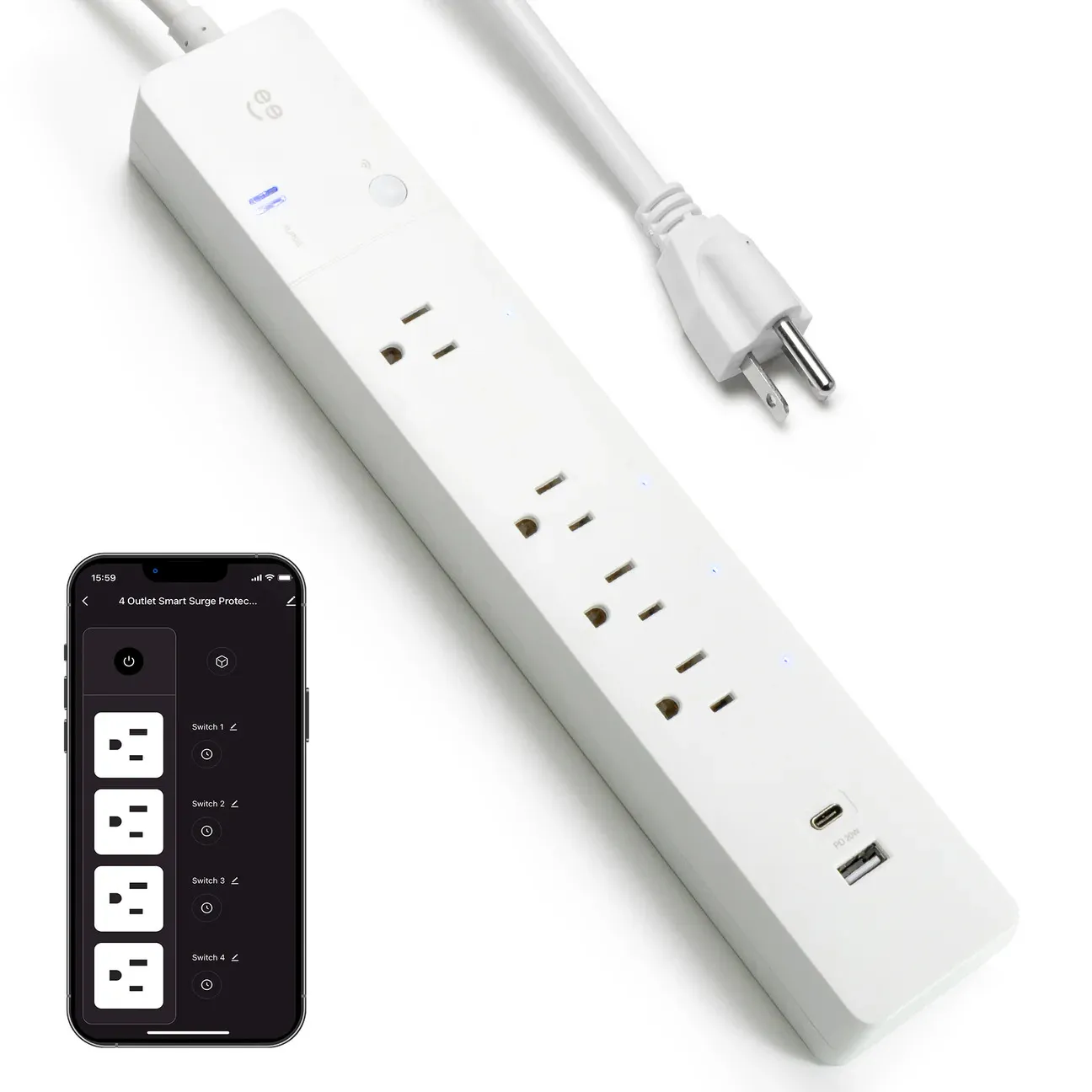
Geeni 4-Outlet Surge Strip
Device Type:
Electrical Standard:
Board:
Difficulty:Soldering required (4/5)
Product Image
General Notes
Manufacturer: Geeni
MCU: Tuya 2BSC
The toggle switch shuts off everything. It can not be controlled or monitored by esphome.
The USB ports are controlled by the toggle switch only. They can not be controlled or monitored by esphome.
Each outlet’s relay is rated at 15A.
Access
You must disassemble the unit and solder on a serial flasher. See also the flashing guide in https://docs.libretiny.eu/docs/platform/beken-72xx/.
GPIO Pinout
| Pin | Function |
|---|---|
| P6 | Outlet 1 (nearest to the plug) |
| P7 | Outlet 2 |
| P26 | Outlet 3 |
| P24 | Outlet 4 |
| P10 | Button (inverted) |
| P11 | Blue LED (inverted) |
Disassembly Guide
- Remove all the back screws
- Snap apart the halves
- Remove 2 screws holding the PCB where the power cord attaches
- Gently pull out the copper strips for the neutral and groun pins of the outlets
- Pull out the PCB and flip it over
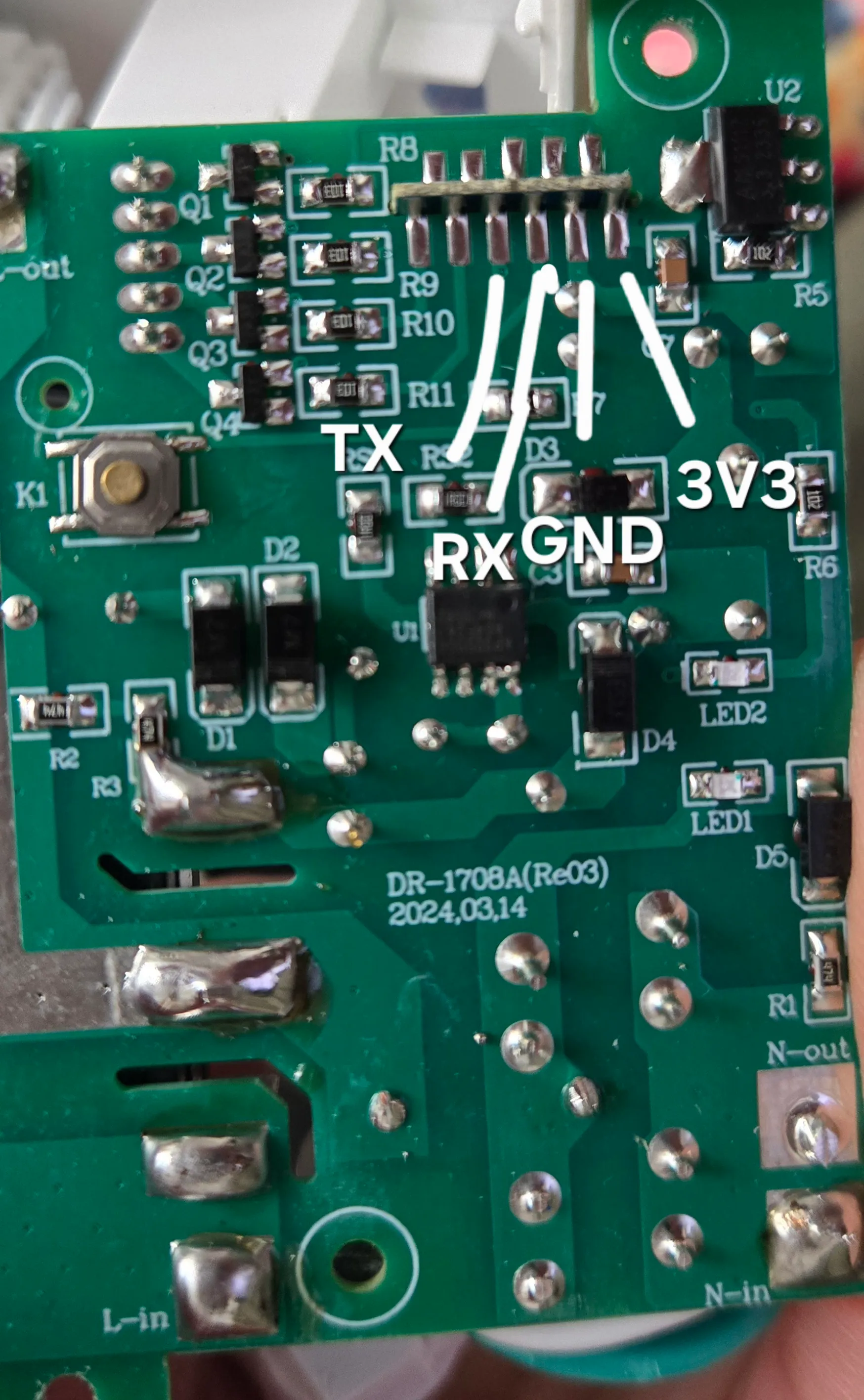
- Solder your serial adaptor wires to the GND, VCC, RX and TX pads.
Configuration
esphome:  name: strip4  friendly_name: strip4
bk72xx:  board: cb2s
logger:api:captive_portal:ota:  - platform: esphome    # Optional: Add your password if you have one configured    # password: "your_ota_password"
wifi:  ssid: !secret wifi_ssid  password: !secret wifi_password  ap:
#Pinout: https://docs.libretiny.eu/boards/cb2s/#pinout#PCB CB2S
## ---------------- ####    Status LED    #### ---------------- ##
light:  - platform: status_led    name: "Status LED"    id: led    pin:      number: P11      inverted: true## ---------------- ####  Binary Sensors  #### ---------------- ##binary_sensor:  # Button 1  - platform: gpio    id: bP10    pin:      number: P10      inverted: true    name: "Button"    on_press:      - switch.toggle: switch_1## ---------------- ####      Switches    #### ---------------- ##switch:  - platform: gpio    id: switch_1    name: Outlet 1    pin: P6    restore_mode: ALWAYS_ON  - platform: gpio    id: switch_2    name: Outlet 2    pin: P7    restore_mode: ALWAYS_ON  - platform: gpio    id: switch_3    name: Outlet 3    pin: P26    restore_mode: ALWAYS_ON  - platform: gpio    id: switch_4    name: Outlet 4    pin: P24    restore_mode: ALWAYS_ON
time:  - platform: homeassistant    id: homeassistant_time
text_sensor:  - platform: wifi_info    ip_address:      name: "IP Address"    ssid:      name: "Connected SSID"  - platform: libretiny    version:      name: LibreTiny Version