
Elegrp RRR00 Smart In-Wall Outlet with Energy Monitoring
Elegrp RRR00 Smart In-Wall Outlet with Energy Monitoring
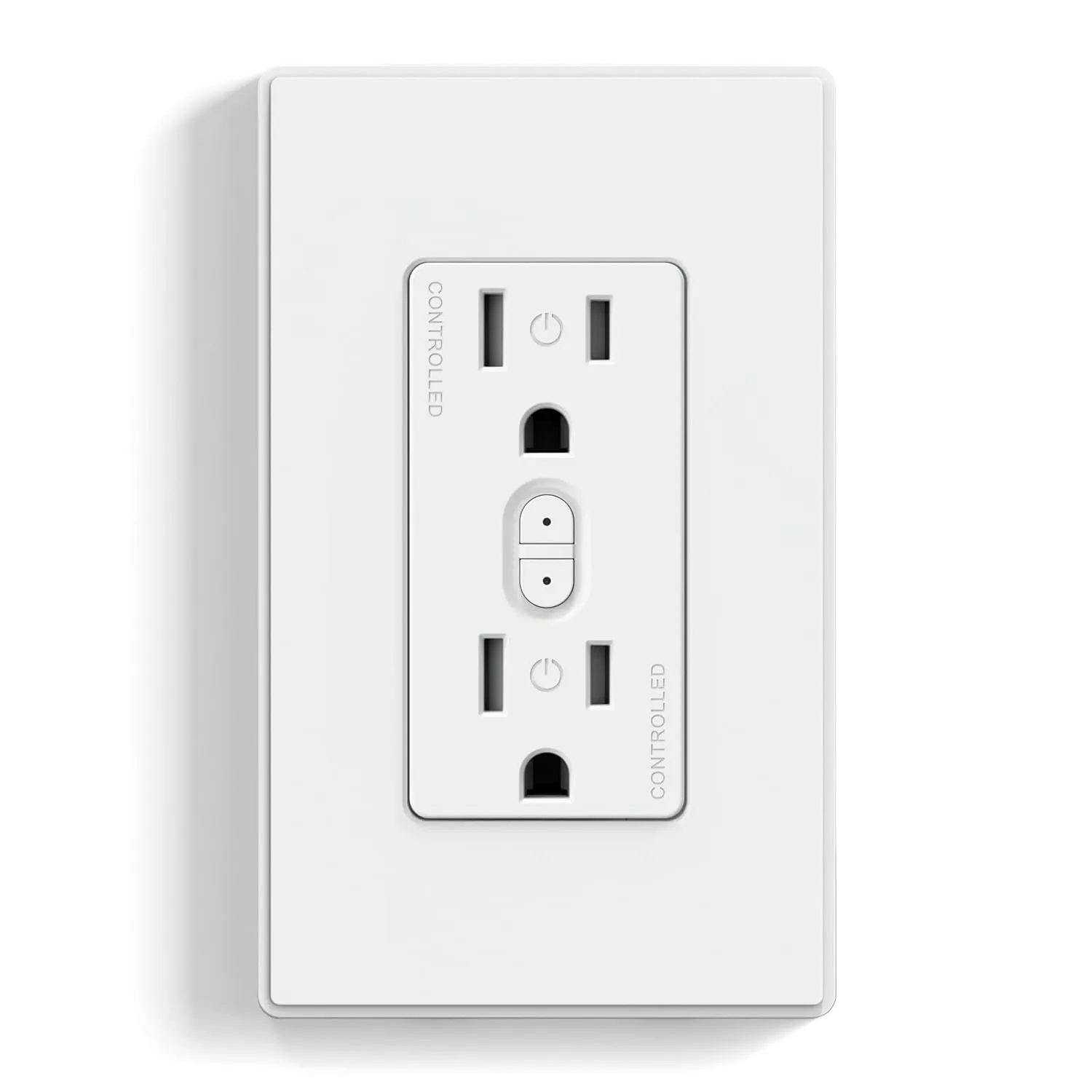
The front has a button for each individually-switched outlet.
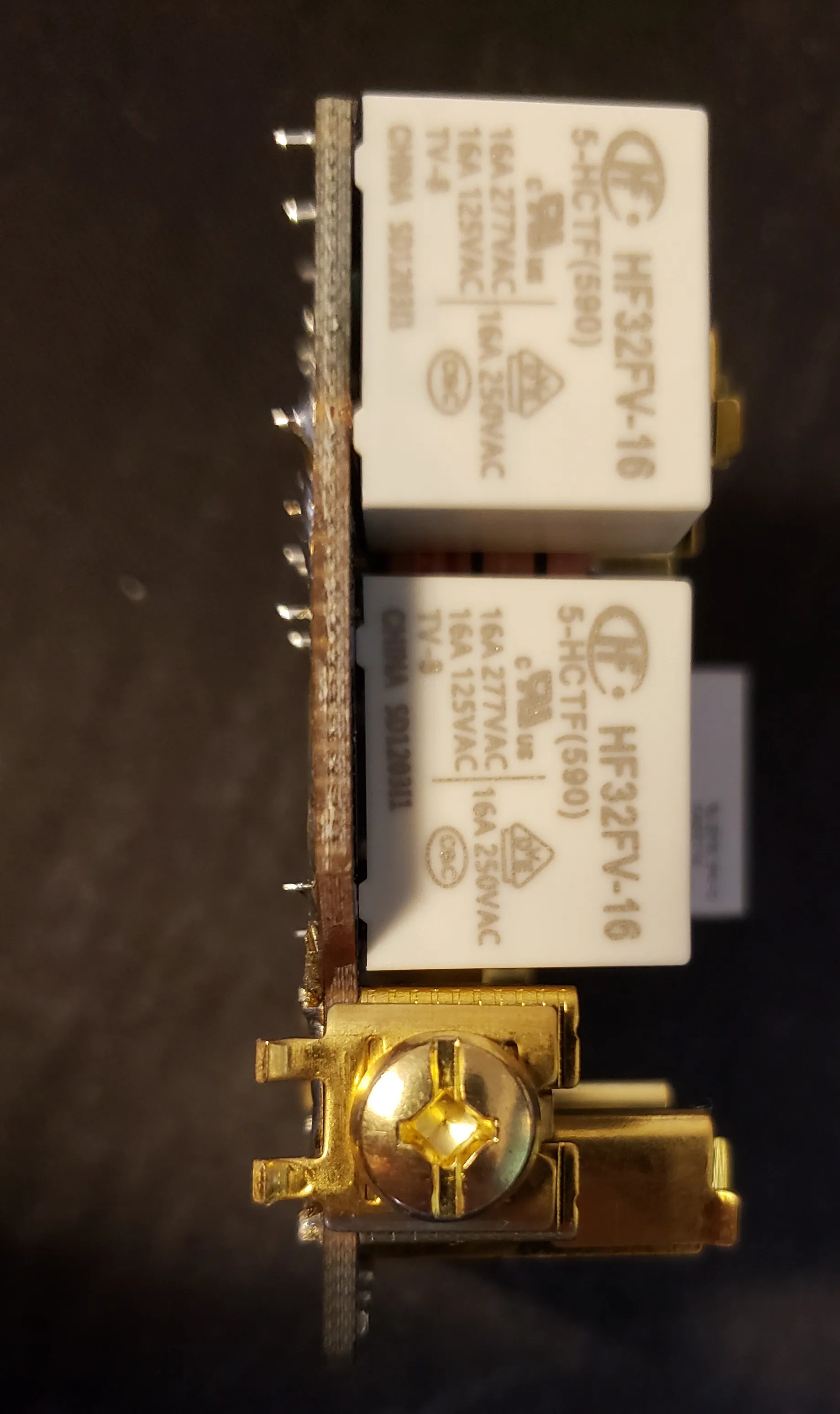
The relays are individual, 16A relays. Nice!
Inside is a CBU module, which has a Beken BK7231N: https://fccid.io/2ANDL-CBU/User-Manual/CBU-User-Manual-updated-5064101.pdf
Pinout
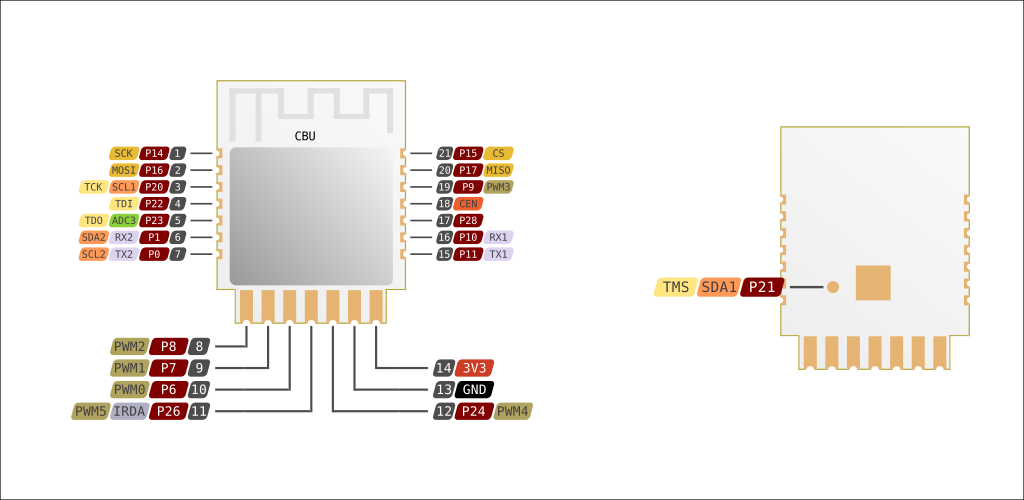
The PCB on my outlet had some wrong labels for pins. This confused me until I ohmed straight from the base PCB to the CBU module. Below are the correct labels, in case it helps you.
| CBU module Pin | Function | Use on outlet | Label on ELEGRP PCB (mostly incorrect) |
|---|---|---|---|
| 3 | P20, SCL1, TCK | RED LED (LED3) active high | CEN (incorrect) |
| 8 | P8, PWM2 | Lower switch button active low (SW2) | ADC (incorrect) |
| 10 | P6, PWM0 | Upper switch button active low (SW1) | P8 (incorrect) |
| 1 | P14, SCK | Upper white LED (LED1) active high | P7 (incorrect) |
| 19 | P9, PWM3 | Active high upper outlet enable (R15, Q1) | P6 (incorrect) |
| 17 | P28 | Lower white LED (LED2) active high | P26 (incorrect) |
| 9 | P7, PWM1 | Active high lower outlet enable (R16, Q2) | P24 (incorrect) |
| 15 | P11, TX1 | Programming and TX to BL0942 energy monitor | TX1 |
| 16 | P10, TX1 | Programming and RX from BL0942 energy monitor | RX1 |
| 13 | GND | Module GND. Connect to programmer ground when programming | GND |
| 14 | 3V3 | 3.3V supply to CBU module. Power when programming | 3.3V |
See this pinout for more detail on the CBU side: https://docs.libretiny.eu/boards/cbu/cbu.svg
Disassembly and Initial Flash Procedure
Run the Line and WHITE scresws all the way in. Remove the 4 T7 Torx screws on the back, and remove cover.
Cover comes out with module. Remove module from cover.
Solder a Sparkfun FTDI Basic’s wires to 3.3V, GND, TX, and RX pins.
Run esphome with the yaml below, select the COM port.
When ESPHome prompts to reset by driving CEN low, use a male-male dupont wire or similar to connect CEN to GND.
CEN is the fourth down on the right of the module, GND is second from right on bottom row:
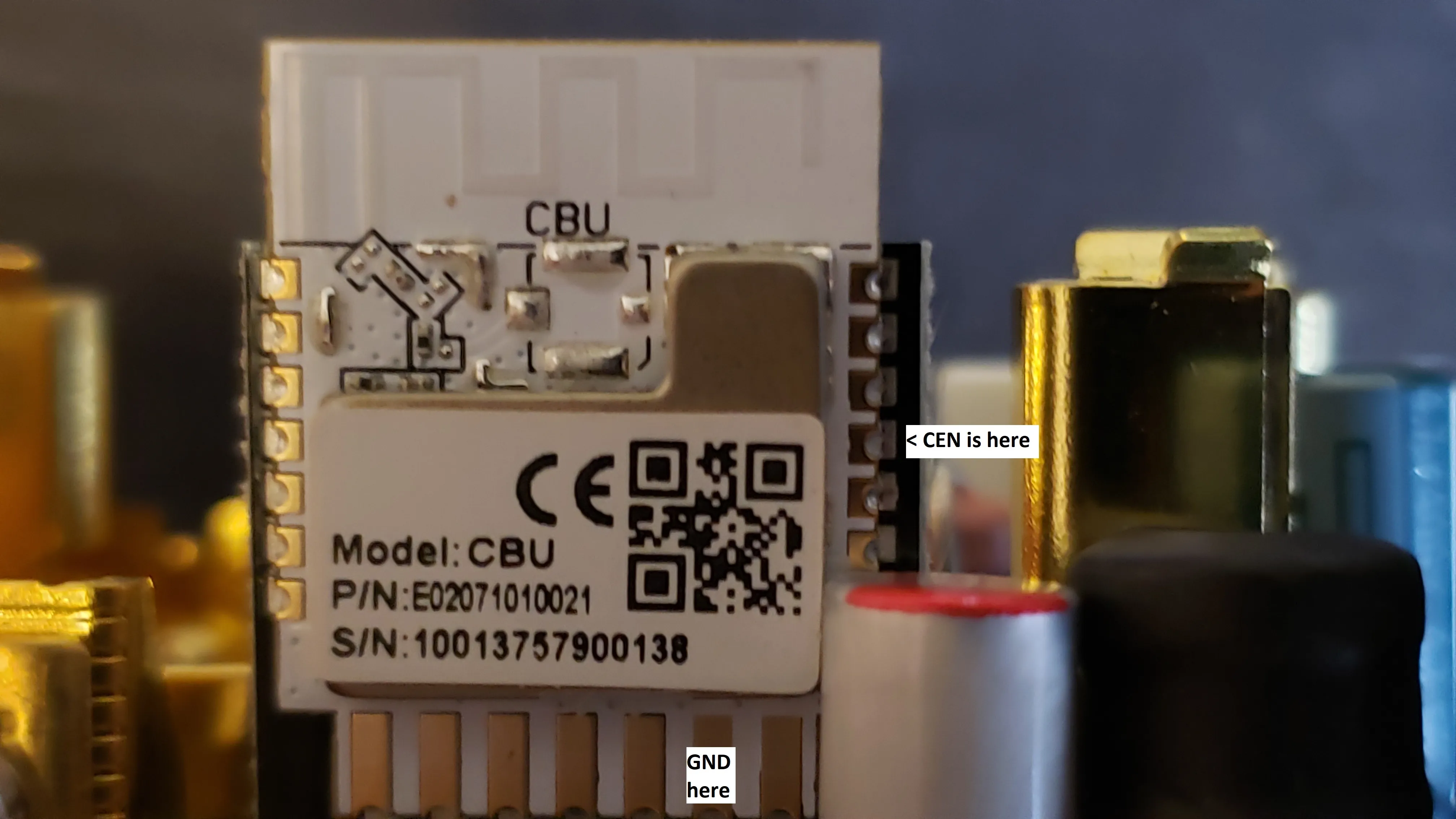
Watch ESPHome for some sign of a flash starting, then release CEN. (as of Nov 2024) Once flashed and on your network, remove soldered wires and re-assemble!
Basic Configuration
substitutions:  device_name: "elegrp-rrr00"  friendly_name: "Elegrp RRR00 Power Monitoring Outlet"
esphome:  name: ${device_name}  friendly_name: ${friendly_name}  name_add_mac_suffix: true  project:    name: Elegrp.RRR00    version: 1.0.0
bk72xx:  board: cbu
# CRITICAL: UART logging MUST be disabled for BL0942 to worklogger:  baud_rate: 0
api:
ota:  - platform: esphome
wifi:  ap: {}
captive_portal:
time:  - platform: homeassistant    id: homeassistant_time
# Status LED - Red LED (P20, incorrectly labeled CEN on PCB)status_led:  pin:    number: P20    inverted: false
uart:  rx_pin: RX1  tx_pin: TX1  baud_rate: 4800  stop_bits: 1
binary_sensor:  # Upper switch button (P6, incorrectly labeled P8 on PCB)  - platform: gpio    id: button_1    pin:      number: P6      mode:        input: true        pullup: true      inverted: true    name: "Button 1"    on_press:      - switch.toggle: relay_1    filters:      - delayed_on: 50ms
  # Lower switch button (P8, incorrectly labeled ADC on PCB)  - platform: gpio    id: button_2    pin:      number: P8      mode:        input: true        pullup: true      inverted: true    name: "Button 2"    on_press:      - switch.toggle: relay_2    filters:      - delayed_on: 50ms
output:  # Upper white LED (P14, incorrectly labeled P7 on PCB)  - platform: gpio    pin: P14    inverted: false    id: upper_white_led
  # Lower white LED (P28, incorrectly labeled P26 on PCB)  - platform: gpio    pin: P28    inverted: false    id: lower_white_led
light:  - platform: binary    output: upper_white_led    id: light_upper_white    internal: true
  - platform: binary    output: lower_white_led    id: light_lower_white    internal: true
switch:  # Upper relay (P9, incorrectly labeled P6 on PCB)  - platform: gpio    name: "Relay 1"    pin: P9    id: relay_1    restore_mode: RESTORE_DEFAULT_OFF    on_turn_on:      - light.turn_on: light_upper_white    on_turn_off:      - light.turn_off: light_upper_white
  # Lower relay (P7, incorrectly labeled P24 on PCB)  - platform: gpio    name: "Relay 2"    pin: P7    id: relay_2    restore_mode: RESTORE_DEFAULT_OFF    on_turn_on:      - light.turn_on: light_lower_white    on_turn_off:      - light.turn_off: light_lower_white
button:  - platform: restart    id: restart_button    name: "Restart"  - platform: factory_reset    id: factory_reset_button    name: "Factory Reset"    disabled_by_default: true    entity_category: config    icon: mdi:restart-alert
sensor:  - platform: wifi_signal    name: "WiFi Signal"    update_interval: 60s  - platform: uptime    name: "Uptime"    update_interval: 60s  - platform: bl0942    voltage:      name: "Outlet Voltage"      accuracy_decimals: 3      filters:        - sliding_window_moving_average:            window_size: 64            send_every: 64            send_first_at: 64    frequency:      name: "Outlet Frequency"      accuracy_decimals: 3      filters:        - sliding_window_moving_average:            window_size: 64            send_every: 64            send_first_at: 64    current:      name: "Outlet Total Current"      accuracy_decimals: 3      filters:        - sliding_window_moving_average:            window_size: 64            send_every: 64            send_first_at: 64    power:      name: "Outlet Total Power"      id: power_monitor      accuracy_decimals: 3    energy:      name: "Outlet Total Energy"      accuracy_decimals: 3  - platform: total_daily_energy    name: "Total Daily Energy"    power_id: power_monitor    unit_of_measurement: "kWh"    state_class: total_increasing    device_class: energy    accuracy_decimals: 3    filters:      - multiply: 0.001
text_sensor:  - platform: wifi_info    ip_address:      name: "IP Address"    ssid:      name: "SSID"  - platform: libretiny    version:      name: "LibreTiny Version"