
Gas Connect for ESPHome

Device Type:
Electrical Standard:
Board:
Difficulty:Comes with ESPhome (1/5)
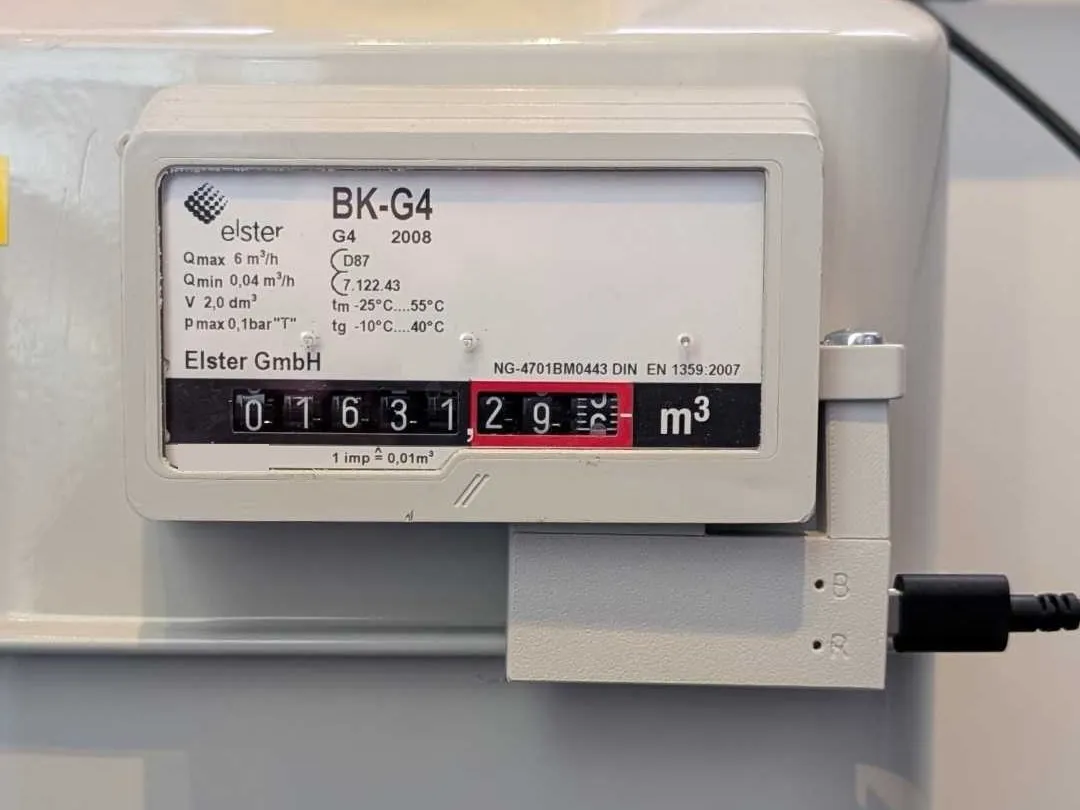
Description
The Gas Connect for ESPHome by NG3D-Druck is a pulse sensor for gas meters with a reed contact, with a built-in Waveshare ESP32-C3-Zero. It ships with ESPHome pre-installed and is available as Gas Connect BK for ESPHome, which fits e.g. Elster/Honeywell BK-G2.5–G25.
Features:
- Gas meter reading for the Home Assistant energy dashboard, plus gas flow
- Consumption today, yesterday, this month and this year, rolling over at local midnight (timezone taken over from Home Assistant)
- Set the meter reading once to match the value shown on the meter
- Selectable volume per pulse (0.001 / 0.01 / 0.1 / 1 m³) and adjustable debounce time of the reed contact
- Status LED (no Wi-Fi, no Home Assistant connection, pulse detected); can show only the status or be turned off
- Firmware updates via Home Assistant
Setup
- Mount the sensor on the meter and power it via USB-C.
- Connect it to Wi-Fi with Improv via Bluetooth (Home Assistant app), Improv via USB in the web installer, or the fallback hotspot.
- Add it in Home Assistant, where it is discovered automatically. Set Pulse volume if your meter does not count 0.01 m³ per revolution, then enter the current value of the meter in Set meter reading.
GPIO Pinout
| Pin | Function |
|---|---|
| GPIO4 | Reed contact (to GND, pull-up) |
| GPIO10 | Onboard WS2812 RGB LED |
Configuration
The current firmware configuration is fetched live from the upstream repository:
# Loading https://github.com/NG3D-Druck/Gas-Connect-for-ESPHome/blob/main/gas-connect.factory.yaml…